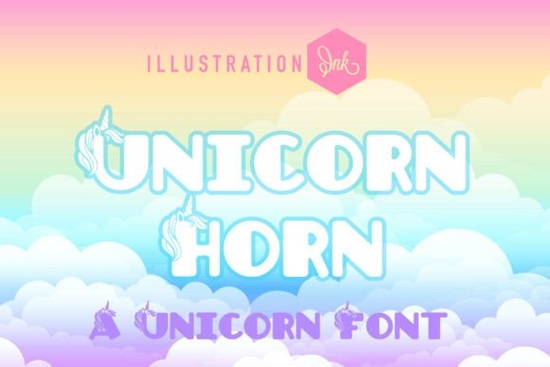
If you are searching for a playful character in your next creative project, the Unicorn Horn Font offers a perfect solution for anyone looking to add a touch of magic to their designs. It is a delightfully chunky novelty display typeface that brings a distinct personality to every line of text. Designed with soft, extra-rounded sans-serif letterforms, this font stands out immediately when you compare it to standard sans-serifs used in corporate environments.
The unique selling point of this typeface lies in the detail work. Majestic, hand-drawn unicorn heads and spiraling magical horns emerge directly from the upper stems of the letters. This means you do not need to hunt down separate clipart icons to achieve a thematic look; the imagery is built right into the characters. When you view the Unicorn Horn font file on the library page, you can see how the strokes curve to support these decorative elements without sacrificing legibility.
What Kind of Projects Suit This Style?
This digital asset bridges the gap between classic fairy tale storybooks and modern children’s lifestyle branding. Because the lines are thick and bold, it remains readable even at smaller sizes, making it versatile for various physical goods. Independent crafters often select this style for custom nursery wall decor. The pastel aesthetic fits perfectly with muted color palettes often found in baby nurseries, providing a gentle backdrop for names or inspirational quotes.
Boutique toy shop packaging is another strong application. Imagine a cereal box or a gift bag for a children's boutique store where the brand needs to feel approachable and fun. The candy-coated look of the typeface invites engagement from young eyes. Social media headlines benefit greatly from the high impact of the glyphs. When users scroll through Instagram feeds, a headline with this weight commands attention much faster than a thin linear font.
You can also utilize these files for high-volume sticker packs for personal planners. Many stationery creators print these files on adhesive sheets to create vinyl transfers or die-cut stickers. The software commonly used to prepare these jobs includes Silhouette Studio and Cricut Design Space. Ensuring the file renders correctly is crucial before sending data to a printer or cutting machine.
Are There Related Options in This Collection?
While Unicorn Horn is excellent for whimsical themes, sometimes you might need something with a different texture for the same campaign. If your design requires a more rustic feel, exploring a dusty stencil font could provide a rugged contrast. Stencil types are useful for labels or industrial-style graphics that require sharp edges.
Conversely, some designers prefer cleaner geometric shapes that still remain readable. In those cases, checking out a futurion font might offer a sleeker, sci-fi alternative that retains modern appeal without the curved organic nature of unicorns. For projects requiring clarity and minimalism, Initial Simple provides a straightforward sans-serif structure that pairs well with heavy illustration work.
However, if your project leans towards construction materials or hard hats, a rivet construction font captures that sturdy vibe effectively. Each category serves a distinct purpose. Having access to a diverse catalog allows you to maintain brand consistency while changing visual tones across different platforms.
Ultimately, the choice depends on the emotion you wish to convey. Softness and wonder suggest the unicorn theme, whereas straight lines suggest efficiency and reliability. Mixing these elements can create dynamic layouts, but it requires careful kerning and spacing adjustments to ensure the reader does not feel overwhelmed.
To get started with the primary option, you can access the full package here: Unicorn Horn Font. This search query will help you locate the download page quickly, ensuring you get the complete set of weights and symbols included in the original release.
How Do You Prepare the Files for Printing?
Once you purchase the typeface, you typically receive a ZIP folder containing .otf and .ttf files. You should install these files onto your local system before opening graphic design software. On Windows, right-click the file and select Install. Mac users may double-click the file to open it in Font Book. This step ensures the glyph sets load correctly.
For commercial use, always review the license agreement included with the download. Most licenses allow for both personal and commercial projects, such as selling merchandise created with the font. However, some terms restrict reselling the font itself as a digital good. Clarifying these boundaries protects your business from potential copyright issues.
Testing your work before mass production is also wise. Print a test sheet on matte paper to check contrast levels. Digital screens can make colors appear brighter than they actually are when printed. Adjusting saturation or brightness in your vector editing program helps match the expected output.
Quick Checklist for Your Project
- Verify Compatibility: Ensure your version of Cricut or Silhouette supports the installed file format.
- Licensing Check: Read the FAQ or Terms to confirm you can sell items made with the design.
- Proofread: Double-check spelling; typographical errors are harder to hide with chunky, stylized scripts.
- File Backup: Keep a copy of the downloaded ZIP archive in case you need to reinstall later.
Focusing on these details ensures your final output looks professional and polished. Whether you are crafting a birthday invitation or designing a logo for a new startup, having the right tool makes the process smoother.
Get Started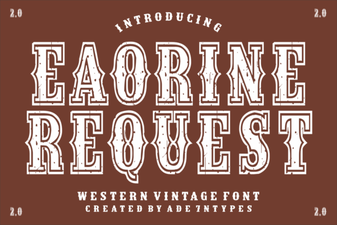 Unlock Creativity with Eaorine Request Font Projects
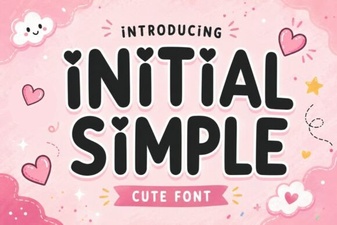 Simple Font Designs for Better Usability & Creativity
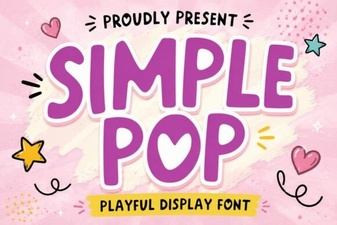 The Simple Pop Font for Readable, Creative Designs
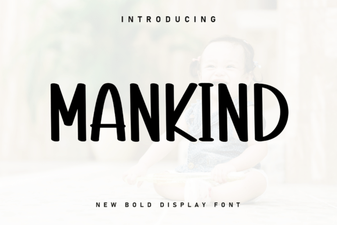 Unleash the Potential of the Mankind Font
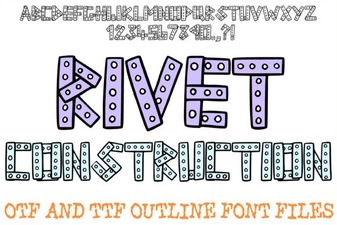 Rivet Font: Build Bold Designs
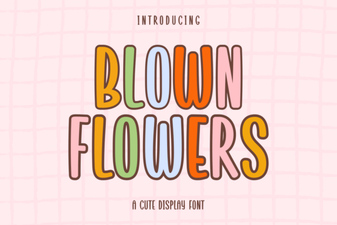 Blown Flowers Font: a Creative Typography Resource